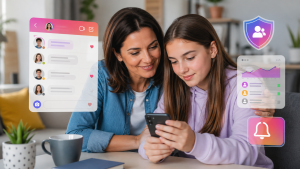
In recent years, interest in a health app It has grown rapidly. With the evolution of technology, it has become easy to record things on your cell phone that no one used to write down: how many steps you took, how many hours you slept, what you ate for lunch. For many people, a health monitoring app It has become a digital habit notebook — useful for understanding one's own routine, but not for replacing exams, consultations, or treatment.
Let's start by making this clear: the apps mentioned here are wellness tools. The numbers they show are... estimates, These measurements are calculated from the movement of the device or what you type. None of them are medical devices, none of them make diagnoses, and none of them indicate treatment. If you have symptoms, doubts, or a known condition, a healthcare professional should evaluate you.
What is the real purpose of a health monitoring app?
A health measurement by cell phone It has become part of many people's routines because it solves a simple problem: memory. It's difficult to remember how your week's sleep was or how much you actually walked. The app keeps track. With the history on the screen, it becomes easier to notice patterns — sleeping late every Wednesday, hardly walking on work-from-home days — and discuss them with your caregiver.
What this type of app doesn't do: it doesn't detect disease, it doesn't warn you that something is wrong with your body, and it's not suitable for monitoring hypertension, diabetes, or any chronic condition on your own. An unusual number on the app is not the result of a test—it's a reason to see a doctor, not to draw conclusions on your own.
1. MyFitnessPal
O MyFitnessPal It's one of the best-known apps for tracking food intake. The idea is to record what you eat throughout the day and see an estimate of calories and nutrients. Its strength lies in its large food database, which makes it easy to find items instead of calculating everything manually.
Two honest caveats. The values depend on the portion you report and the profile registered by other users, so they are approximate. And some of the more advanced features are in the app's paid plan, with in-app purchases; the free version covers basic registration. It also communicates with watches and bracelets, which reduces typing.
2. Google Fit
O Google Fit It's a simple option for those who just want to track their movement: walking, running, cycling. It uses the phone's motion sensors to estimate steps and activity time, and displays daily goals that serve more as an incentive than an exact measurement.
Since the calculation comes from the device in your pocket, the count varies: a phone in your backpack registers fewer steps, a phone in your hand registers steps that didn't happen. It's useful for comparing your own days, not for treating the number as absolute truth. It also gathers data from other apps and accessories in one place.
3. Samsung Health
O Samsung Health It is one of the most comprehensive in terms of features: exercise, nutrition, water, sleep. Regarding heart rate and stress levels, it's important to understand where the data comes from—it's measured by the sensor in the watch or compatible bracelet, not the phone alone. And even with the watch, the result is... well-being estimate, It is not an exam; the app does not control or monitor chronic disease.
The interface is straightforward, and the history is organized by day, which is helpful for those who like to look at the entire week at once. It also integrates with other apps and accessories, centralizing what you already record elsewhere.
4. Fitbit
O Fitbit It makes more sense for those who already own a device from the brand, because the app acts as its dashboard. With the bracelet or watch on your wrist, you can see estimates of activity, sleep, and heart rate throughout the day, as well as track goals such as walking more or maintaining a consistent sleep schedule.
Without the device, the app is much more limited. And it's worth knowing that there's a paid plan with extra analyses, charged as an in-app purchase—what appears for free is the basic registration. The challenges between friends are a good incentive for those who are motivated by light competition.
5. Apple Health
O Apple Health It's Apple's own app that comes pre-installed on the iPhone and acts as a repository: it stores in one place what other apps and accessories record, such as physical activity, sleep, and screen time. The advantage is not having the data scattered across five different apps.
Those who use an Apple Watch see more information because the watch has sensors that the phone doesn't. Even so, what appears on the screen remains a record and estimate of personal usage, not a diagnosis. Watch alerts, when present, are meant to help you seek medical attention—not to self-diagnose.
Additional features of health monitoring apps
Beyond the basics, many apps health monitoring They accept data from connected scales, calculate simple indices from weight and height, or provide a menstrual cycle calendar. In the latter case, the prediction is made by averaging the cycles you recorded: it's a statistical guess, not a confirmation of fertility or a contraceptive method.
One really useful application is bringing your medical history to the appointment. Showing your doctor how your sleep or diet has been over the past month provides context for the conversation. Ultimately, it's the professional who interprets this data, cross-references it with test results, and decides on any course of action—the app simply organizes the notes.
Conclusion
One health monitoring app It's a good way to see your own routine more clearly and create better habits. It shows trends: if you walked more this week than last, if you're sleeping less, if you skipped meals. This approximate picture already helps a lot, as long as you know it's approximate.
Choosing the best health monitoring app It depends on what you want to record and what device you have on your wrist or in your pocket. Always search for the app's name in your phone's official app store and start with the simplest one—the one you'll actually open every day. And remember: none of these apps replace consultation, examination, or guidance from a healthcare professional.
How the phone estimates each piece of data — and the margin of error for each one.
Understanding the origin of a number helps prevent both over-trusting and discarding useful information.
Steps
These readings come from the accelerometer, which identifies the characteristic movement pattern of walking. It may overestimate when you drive on bumpy roads or gesticulate excessively, and underestimate when your cell phone is in your bag or shopping cart. It serves to track trends over the weeks, not as an exact count.
Distance and pace
Calculated from steps and an estimated stride length based on your height. Providing correct height and weight greatly improves the result. With GPS enabled, accuracy increases significantly—and so does battery consumption.
Calories
This data point has the largest margin of error of all. It comes from a formula that combines weight, age, sex, and estimated intensity. Differences of 20% or more from actual spending are common. Use it to compare one day to another, never as an exact budget.
Sleep
Without a sensor on the body, the cell phone infers from movement and screen usage time. It can reasonably estimate when you lay down and woke up; the division into sleep stages is an approximation, not a measurement.
Heart rate
It only works if there is a watch or bracelet with an optical sensor. These devices measure well at rest but lose accuracy during intense exercise and with a loose bracelet.
What to do with the data in practice
- Choose one metric at a time. Monitoring seven indicators simultaneously ensures you don't change any of them. Start with steps or sleep.
- Look at the weekly average, not the daily average. Daily variation is noise; a four-week trend is a signal.
- Set your goal based on your current situation. If you're doing 3,000 steps, aiming for 10,000 tomorrow is a recipe for giving up. Increasing to 10% per week works better.
- Reduce notifications. Announcing every hour gets tiring and becomes noise within two weeks.
- Export before switching applications. A history of being arrested is the most common reason for regret in this category.
Referrals that are worth more than the app's target.
The round numbers that apps use are marketing conventions, not clinical recommendations. The most frequently cited public health references are different:
- Physical activity: At least 150 minutes of moderate-intensity exercise per week, or 75 minutes of vigorous-intensity exercise, for adults, plus strength training on two days.
- Sleep: Seven to nine hours of sleep per night is recommended for most adults, with regular hours being just as important as the duration.
- Seated time: Reducing total downtime has its own benefits, independent of the exercise.
One detail that changes the interpretation: the 10,000-step goal originated from a Japanese advertising campaign in the 1960s, not from a scientific study. Later studies found significant health benefits well before that.
Privacy: the most neglected aspect
Health data is a sensitive category, and this is the app category that collects the most data. Before choosing:
- Check if the privacy policy mentions sharing with third parties or advertisers.
- Check if it can be used without linking to a social network and if there is an option to delete the entire history.
- Review the permissions: a step counter doesn't need contacts or a microphone. Precise location only makes sense if you use route tracking.
- Opt for native system hubs, which centralize data with permission control by type and do not rely on advertising.
The limit worth repeating
These apps organize information and help create habits. They don't diagnose, measure blood pressure, glucose, or body temperature via cell phone, and don't replace professional evaluation. Persistent symptoms—unusual fatigue, shortness of breath, chest pain, unexplained sleep disturbances—require a consultation, not a chart.