The lights and symbols on the dashboard are there to warn the driver about the car's operation. Some appear only during startup and disappear in a few seconds, while others indicate situations that require attention. Knowing how to differentiate a simple warning from a possible mechanical problem can prevent both unnecessary worries and more serious damage to the vehicle.
In addition to the owner's manual, there are automotive diagnostic applications These tools can help interpret certain faults when used with a compatible OBD2 adapter. They can read codes registered by the vehicle's electronic control unit, but should serve as support and not as a substitute for a professional assessment.
What do the colors of the dashboard lights mean?
Although there are differences between manufacturers and models, the color of the symbol usually offers an initial indication of the level of attention required. The vehicle's manual remains the most reliable source for confirming the exact meaning.
- Green or blue lights. They typically indicate that some feature is activated, such as headlights, cruise control, or another vehicle function.
- Yellow or orange lights. They usually function as a warning. The car may continue to run, but the indicated system should be checked.
- Red lights. They can represent a more serious condition, especially when related to oil, temperature, brakes, or the electrical system.
- Flashing light. Some flashing warning lights may indicate a more urgent problem than the same light remaining on continuously.
Which apps can help identify car problems?
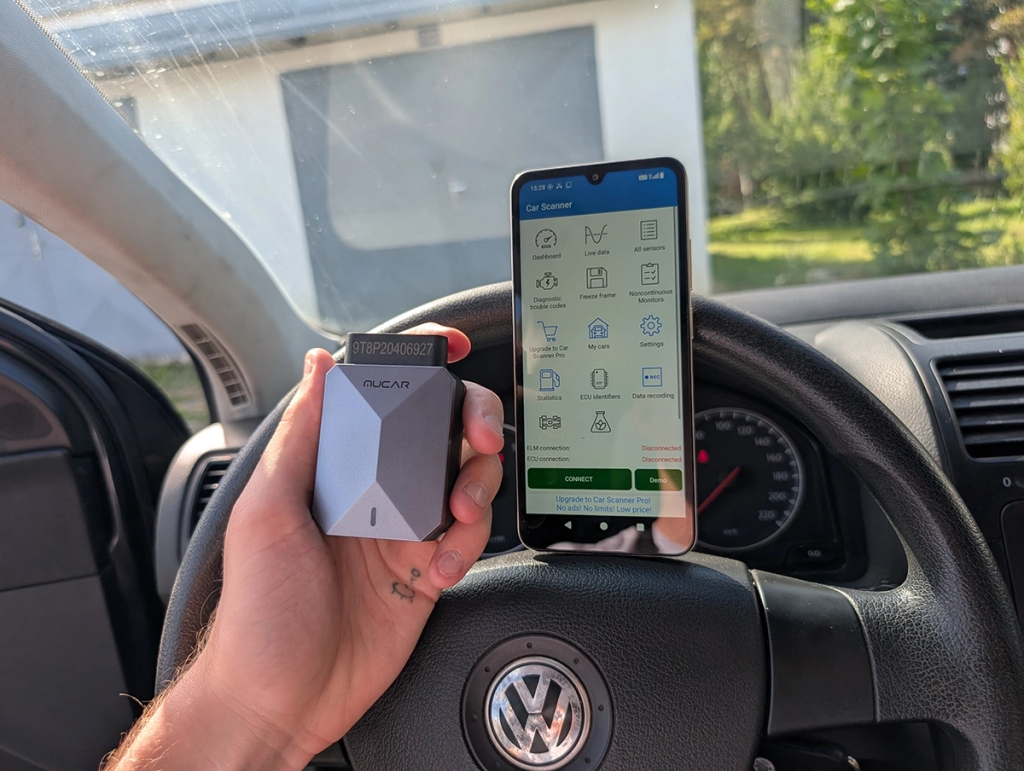
When a warning light related to the electronic system or engine comes on, an OBD2 scanner can help identify the code registered by the vehicle. To use the applications below, it is usually necessary to connect a compatible adapter to the car's OBD2 port.
Car Scanner ELM OBD2: leia códigos de falha e sensores
The ELM OBD2 Car Scanner transforms your cell phone into a diagnostic tool when connected to a compatible OBD2 adapter via Bluetooth or Wi-Fi. The app can read fault codes registered by the electronic control unit and display information about different vehicle sensors.
It's also possible to monitor real-time information, such as temperature, engine speed, and other parameters available on the vehicle. This can help gather information before seeking a repair shop, especially when the check engine light or another electronic alert appears on the dashboard.
View the ELM OBD2 Car Scanner on Google Play
FIXD: explicações mais simples para a luz do motor
FIXD was developed to make diagnostic codes easier to understand for those without technical knowledge. When used with a compatible scanner, the application can help explain why the check engine light came on.
The goal is to present certain faults in a more understandable way and also to help with maintenance monitoring. Even so, the information displayed should be interpreted as an initial indication, since the same code can have different causes.
Torque Pro: dados do veículo em tempo real
Torque Pro is a well-known tool among OBD2 scanner users. The application allows you to view fault codes and create custom dashboards with information sent by the vehicle's sensors.
Depending on the car model, data such as temperature, RPM, engine load, and other parameters may appear. The app is especially useful for those who want to track technical information, although the amount of data available varies depending on the vehicle and the adapter used.
View Torque Pro on Google Play
EOBD Facile: leitura de falhas e códigos OBD2
EOBD Facile is another alternative for those who want to check diagnostic codes using an OBD2 adapter. The platform has a database of definitions that helps interpret faults recorded by the car's electronic system.
It can also display real-time vehicle data, depending on compatibility. This reading can be useful for better understanding an illuminated check engine light before a visit to the workshop, but it does not automatically identify which part needs to be replaced.
See EOBD Facile on Google Play
Infocar: diagnóstico e monitoramento do veículo
Infocar combines diagnostic features, sensor monitoring, and vehicle tracking. With a compatible OBD2 device, the application can access codes registered in the electronic control unit and display various information about the vehicle's operation.
In addition to fault codes, the app offers real-time data and features related to maintenance and driving history. Some features are free, while others may require a subscription or additional resources.
Which dashboard lights require immediate attention?
Some lights deserve special attention because they can indicate conditions that could damage the vehicle or compromise safety. The correct behavior depends on the model and the situation, but some warnings should not be ignored.
- Oil pressure light. If the light remains on while the engine is running, it may indicate insufficient lubrication pressure. Continuing to drive could cause serious engine damage.
- Temperature light. This could indicate overheating. If the temperature rises too high, find a safe place to stop and turn off the engine.
- Brake system light. It could be related to the parking brake, low fluid level, or a system malfunction. If there is a change in braking, do not continue driving normally.
- Battery light. This could indicate a problem with the charging system, alternator, or related components. The vehicle may continue to run for some time, but it risks shutting down when the battery loses charge.
- Injection light flashing. This could indicate a more serious malfunction. Reduce the strain on the engine and seek a professional assessment.
When is it possible to continue driving?
Not every light that comes on means the car needs to be turned off immediately. A solid yellow light, for example, may indicate that some system needs to be checked, but it doesn't represent an emergency at that moment.
Even so, observe the vehicle's behavior. If you experience loss of power, unusual noises, smoke, a burning smell, high temperature, difficulty braking, or any significant change in driving, the wisest course of action is to stop in a safe place and seek assistance.
When should I take my car to the mechanic?
Ideally, you should seek a repair shop when a warning light remains on, reappears frequently, or is accompanied by unusual symptoms in the vehicle's operation. Even if the car continues to run normally, a recorded fault may worsen over time.
- When a red light remains on. Primarily alerts related to oil, temperature, or brakes.
- When the injection light stays on. A scanner can indicate the code, but the cause needs to be confirmed.
- When the car loses power. Electronic or mechanical failures can limit performance.
- When there are different noises or vibrations. The dashboard cannot display all mechanical problems.
- When the same code returns after being deleted. Clearing the warning does not fix the root cause of the problem.
What these apps don't do
A diagnostic application can provide useful information, but there are important limitations. Reading a fault code does not automatically mean you can determine with certainty which component is defective.
- They are not a substitute for an inspection performed by a qualified mechanic.
- They are unable to identify all the mechanical problems with the vehicle.
- Not all dashboard lights generate an OBD2 code that can be accessed by the app.
- The same fault code can have different causes.
- Deleting a code doesn't mean fixing the problem.
- The number of accessible sensors varies depending on the car's make, model, and year.
- Some functions require an OBD2 adapter, sold separately.
Which app should I choose to understand my car's alerts?
For those seeking a complete tool for reading codes and sensors, the Car Scanner ELM OBD2 and Infocar can be good starting points. Torque Pro offers considerable customization for those who prefer to view technical information on dedicated dashboards.
FIXD might appeal to those looking for simpler explanations of certain codes, while EOBD Facile is an alternative for reading OBD2 fault codes and information. Regardless of your choice, first confirm that the app and adapter are compatible with your vehicle.
Conclusion
Learning to Identify the symbols on the car's dashboard. This helps to understand when there is only a warning light and when there may be a fault that requires attention. The color of the light, the vehicle's behavior, and the symbol displayed provide important clues about the urgency.
Applications connected to the OBD2 system can complement this analysis by displaying codes and sensor data. However, when there is a red light, overheating, brake problems, low oil pressure, or significant changes in the car's operation, the priority should be to seek professional assistance instead of relying solely on your cell phone.
Common questions
Uma luz amarela no painel significa que preciso parar imediatamente?
Not always. Yellow lights usually indicate a warning and the need for inspection. However, if the car shows loss of power, noises, smoke, overheating, or other abnormal behavior, find a safe place to stop.
Posso continuar dirigindo com a luz da injeção acesa?
It depends on the situation. If the light is on continuously and the car is running normally, it may be possible to drive it to a repair shop. If it is flashing or accompanied by engine malfunctions, the problem requires faster attention.
O celular consegue identificar sozinho o defeito do carro?
Normally not. To access the vehicle's electronic codes, a compatible OBD2 adapter is required. Furthermore, the code indicates the area of the fault, but it doesn't always reveal the exact cause on its own.
É seguro apagar a luz de injeção pelo aplicativo?
Deleting a code only temporarily removes the record and the corresponding warning when permitted. If the cause of the problem persists, the code may return. Ideally, you should find out the reason for the failure before simply deleting the alert.
Qual luz do painel é mais perigosa?
There isn't just one. Warning lights related to oil pressure, overheating, and the brake system can indicate serious situations and deserve immediate attention, especially when they remain illuminated while driving.