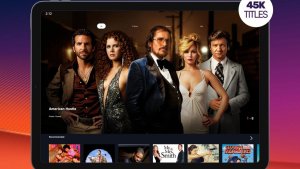
Watching movies on mobile phones has become a habit, and today there are several official apps that do this well. In this article, we've compiled the main movie streaming services available in Brazil, what each one actually offers, and how much it costs to use each of them.
Before we begin, an honest warning: most of these apps are free to install, but require a paid subscription to access the catalog. There are truly free options, and they appear further down in a dedicated section. All the apps mentioned here are downloaded from Google Play, the official Android store—no APKs, alternative "official" websites, or IPTV lists.
What are the best apps for watching movies on your cell phone?
With the demand for entertainment on mobile phones, several apps have begun competing for the attention of movie lovers. But which are the best apps for watching movies on your phone?
The answer depends on several factors: the type of catalog, the streaming quality, the devices you intend to watch on, and, most importantly, the cost. Some services charge a monthly subscription, while others offer some content for free in exchange for ads. Below, we list five standout apps, clearly indicating what is paid and what is free for each.
Netflix
Netflix is one of the world's best-known streaming platforms, offering movies, series, and documentaries across various genres. The app is available on Google Play and installation is free, but watching requires a paid subscription: without an active plan, the app only shows the login screen. The company offers different plans, and the price varies depending on the chosen plan—it's worth checking the current prices within the app itself before deciding.
A large portion of the catalog can be downloaded for offline viewing, which is helpful when traveling or in places with weak internet. However, this feature doesn't apply to all titles or all plans: when a movie allows downloading, the corresponding icon appears on its page. Netflix also produces its own films and series, which are usually only available there.
Amazon Prime Video
Prime Video brings together movies and series and is part of the Amazon Prime subscription, which also includes other store benefits such as shipping and music service. The app is downloaded for free from Google Play, but access to the catalog depends on an active subscription.
It's important to know a detail that confuses many people: not every movie that appears in Prime Video's search results is included in the plan. Part of the catalog is for rent or individual purchase, charged separately, and the app indicates this on the title's page. The included movies can be downloaded to watch offline, and the platform has its own productions, such as "The Boys" and "The Marvelous Mrs. Maisel".
Disney+
For fans of Disney, Marvel, Star Wars, and Pixar productions, Disney+ brings these catalogs together in one place, featuring classics and new releases. The app is available on Google Play and operates on a paid subscription basis, with plans that vary in price depending on the included features.
The app allows you to download multiple titles to watch offline and create separate profiles within the same account, including children's profiles with a restricted catalog. It's an interesting option for households with children, as the control over what each profile sees is visible to whoever manages the account.
Globoplay
Globoplay is Globo's streaming platform and brings together soap operas, series, films, and news programs, with a strong presence of Brazilian productions. It's the only one on this list with a useful middle ground: some of the content is available for free, with ads, and the rest of the catalog is behind paid plans.
In practice, you can create a free account and see what's available before deciding if it's worth subscribing. Paid plans expand the catalog, unlock live channels, and allow you to download content to watch offline. For those who watch Brazilian television, it's the app that offers the most value without spending anything upfront.
Pluto TV
Pluto TV is the free option on the list. It works in two formats: channels that broadcast continuous programming, like a regular TV, and an on-demand catalog where you choose the movie. There's no subscription required to start watching—the app's listing on Google Play states that it contains ads, and that's how the service gets paid for.
In trade, the catalog is smaller and more frequently rotated than that of paid services, and commercial breaks appear in the middle of the film, just like on broadcast television. Even so, it's a legal and free alternative for those who want to watch something at the end of the day without incurring another charge on their credit card.

Common Features of Streaming Applications
Despite differences in catalog and price, these apps share some features. Among the main ones are:
- Content DownloadThis feature allows you to download titles to watch offline and save mobile data. Not all movies allow downloads, and on paid services, this feature usually depends on the plan.
- Custom Profiles: separate profiles within the same account, with their own recommendations and the option of a children's profile with a restricted catalog.
- Adjustable Video QualityYou can reduce the quality when the internet is slow or when you want to use less data.
- Multi-Device CompatibilityThe same services usually work on mobile phones, tablets, smart TVs, and computers, all with the same account.
These features exist to adapt the service to your needs, but none of them replace what really matters in the choice: the catalog and the price.
Is it possible to watch movies for free without piracy?
Yes, it's possible, provided you accept two conditions: ads during the movie and a smaller catalog. The easiest free and legal options to use in Brazil are Pluto TV, with channels and movies on demand; the free-to-air portion of Globoplay; and YouTube, which has a section of full-length movies available with ads, alongside titles that are available for rent.
When the movie you want isn't available on any free service, there's still the option of renting it individually, for example through the Google TV app, where you only pay for that title instead of subscribing to another monthly fee. However, apps that promise "all new releases for free" outside of Google Play, APK files sent via group messaging, and IPTV lists distribute content without authorization and often come with intrusive advertising or malicious programs. It's not worth the risk on the device where you store your database and photos.
Conclusion
Choosing the right app for watch movies It depends on what you watch and how much you intend to spend. Netflix, Prime Video, and Disney+ offer large catalogs through subscriptions; Globoplay mixes free and paid content; Pluto TV is free, exchanging ads for free. Before subscribing, check the current price and catalog within the app itself, as both change frequently. And always install from Google Play, which is where the verified app arrives on your phone.