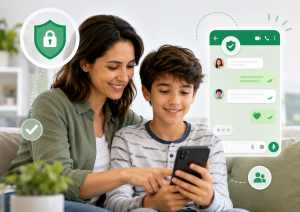
Instagram is part of the daily routine for many teenagers, whether it's to chat with friends, watch content, follow influencers, or share moments from their day-to-day lives. Many parents come here looking for a way to read their child's direct messages, and it's fair to start with this answer: no app can reliably and legitimately deliver the entire conversation of another person's Instagram messages. What does exist are parental control tools that alert parents when a risk signal appears, in addition to the official supervision resources created by Instagram itself.
This text explains what can actually be monitored, what remains private, and how to set everything up transparently, with the teenager's knowledge. One of the well-known options in this niche is... Bark – Parental Controls, an application focused on digital security alerts and screen time management.
What you can follow on Instagram and what you can't.
It's important to separate two things. See the content The frequency of each message sent and received is different from be notified When something concerning arises. Serious parental control apps work the other way: they analyze device activity and send an alert to the parent when they identify something like aggressive language, suspicious contact, or adult content. The parent receives the alert and the context, not a mirror image of the child's screen.
What each tool can see within Instagram also changes over time, because it depends on the permissions granted by the platform itself, the device's operating system, and the account settings. Therefore, promises like "see all Instagram conversations" usually come from apps that don't deliver on their claims, or that require installation outside of official app stores. It's not worth the risk: these types of apps often contain malware, and monitoring someone without their knowledge can constitute a crime.
There is still a legal and ethical limit. Parental control is for minor child under his responsibility, This tool, installed on his device with his knowledge, is not parental control, it's surveillance, and that's not what this text suggests. Using this type of tool to monitor a partner, ex-partner, employee, or adult child is not parental control, it's surveillance, and that's not what this text suggests.

Bark - Parental Controls
AndroidAdvantages of the Application
Monitoring focused on important alerts.
O Bark It works with a different approach than apps that promise to show everything a child or teenager does on their cell phone. Instead of providing constant surveillance, it seeks to identify potential signs of risk in the device's activity and send alerts to parents or guardians when it finds something concerning.
This can be useful for families who want to monitor Instagram use in a more balanced way, without turning parental controls into a complete invasion of privacy. The main goal is to help parents recognize situations such as cyberbullying, Suspicious contact, inappropriate language, threats, or other behaviors that warrant attention.
Coverage across multiple social media networks and apps.
Bark claims to cover messaging, email, YouTube, and dozens of apps and social networks used by young people. The list of covered platforms and the depth of each varies depending on the device's operating system and the permissions granted in the settings, so it's best to check within the app itself, before subscribing, to see if Instagram appears with the features your family needs.
This is a paid feature, and that needs to be clear.
The app is free to download, but the monitoring service works on a subscription basis, with in-app purchases. There is no fully free version. Before installing it on your child's device, check the plan price, the trial period currently offered, and how to cancel, so you're not caught off guard when the renewal is due.
It helps prevent cyberbullying.
Cyberbullying is one of the biggest concerns for parents when it comes to Instagram. Offensive comments, aggressive messages, group humiliation, and threats can directly affect the emotional health of children and teenagers.
As Bark, Parents can receive alerts when the system identifies signs of aggressive language, intimidation, or situations that may indicate cyberbullying. The alert is a starting point for conversation, not a verdict: the system can make mistakes, flagging a joke between friends as aggression or missing something real.
Screen time control
In addition to alerts, Bark also offers features such as screen time management. This type of tool is important because the problem isn't always just the messages received, but also the excessive time spent on social media.
With clearly defined limits, parents can help their children create a more balanced routine, preventing Instagram from interfering with studies, sleep, meals, or family time. Controlling screen time can also reduce impulsive cell phone use at night.
Blocking inappropriate websites and content.
Another advantage of Bark is the ability to control access to specific websites and content categories. This can help prevent children and teenagers from accessing inappropriate or age-inappropriate pages.
Although this article focuses on Instagram, digital security needs to consider the entire online environment. Often, suspicious links arrive via direct messages, comments, or unknown profiles. Having an extra layer of protection against inappropriate websites helps make browsing safer.
It encourages more open conversations within the family.
A parental control app should be accompanied by dialogue. Bark can help parents identify problems, but real safety depends on guidance, trust, and digital education.
Before installing any such app, explain to your child why the tool will be used, what the limits are, and what situations concern the family. This way, the young person understands that the goal is not to spy, but to create a safer digital environment.
How to use Bark for Instagram parental controls
To use the Bark – Parental Controls, Parents need to download the app from the official store, create a family account, choose a plan, and follow the setup instructions. Depending on the type of monitoring desired, it may be necessary to install the part of the app intended for the child's device, connect accounts, adjust device permissions, and define which alerts the family wants to receive.
The setup must be done with the teenager present and aware. On Android, the app is visible on the monitored device, and the system displays notifications about the permissions granted, precisely because the goal is transparency. Apps that hide from the device user are a different category of software, are not recommended here, and may be removed from the app stores.
Specific features vary depending on the operating system, available permissions, and the policies of the platforms being used, which change from time to time. Therefore, check within the app itself which functions are active for Instagram on that device before relying on them. If the feature you need isn't there, the best course of action is to adjust your expectations, not look for a clandestine app that promises more.
Official and free alternatives
Instagram itself has a feature of Supervision, Within the Family Center, a feature allows a parent or guardian to link their account to the teenager's account. With this, the parent or guardian can monitor how much time the teenager spends on the app, set usage limits, see who the teenager follows and who follows them, and be notified when the teenager reports a message. The content of the conversations is not displayed: this part remains private. The supervision must be agreed upon by both parties, reinforcing the agreement made at home. The settings are located in the app's supervision area.
Another free option is the Google Family Link, Google's own app for Android devices helps set usage time limits per app, approve or block installations, and establish rest periods. Similar to Instagram's supervision feature, it doesn't show message content, but it gives parents real control over what goes on the phone and for how long.
In practice, many families combine both: free and official resources for usage rules and limits, and a paid service when they want to receive alerts about risk signs. In addition to this, the usual simple practices apply: keeping the Instagram profile private, reviewing unknown followers, advising the young person not to share personal data, and talking about scams, fake profiles, and suspicious contacts.
Common questions
Don't count on it. Instagram's official monitoring features don't show the content of conversations, and parental control apps work with alerts about risk signs, not by displaying the entire history. Any app that promises to deliver all of another person's direct messages should be treated with suspicion.
O Bark It reports analyzing device activity and sending alerts when it identifies potential risk signs, such as bullying, adult content, violent language, or suspicious contact. What it covers on each social network depends on the device, the permissions granted, and the platform's rules, so check within the app which options are active for Instagram.
The download is free, but the service works on a subscription basis, with in-app purchases. Before installing, check the plan price, what each plan includes, and how to cancel. If you're looking for something free, Instagram supervision and Google Family Link are also free.
Yes. Parental control should be transparent: the teenager needs to know that the tool is installed and why. Besides being the correct approach from a legal standpoint, it's what sustains trust at home. Installing a hidden app on someone else's phone is surveillance, not protection.
No. These tools are intended for minors under parental responsibility. Monitoring the cell phone of a partner, ex-partner, employee, or adult child without consent is illegal and goes against the rules of the app stores.
No. Parental controls should be seen as a support tool. Conversation remains essential to teach about risks, scams, cyberbullying, excessive exposure, and contact with strangers. The app helps identify warning signs, but parental guidance is indispensable.
Conclusion
Anyone looking for a way to read their child's Instagram messages won't find a genuine solution that does exactly that, and it's best to know this before spending money or installing something risky. What truly exists are two layers: free and official resources, such as Instagram supervision and Google Family Link, for usage limits and basic monitoring, and paid services like... Bark – Parental Controls, which alert those in charge when a sign of risk appears.
For best results, the chosen app should be used transparently, with the teenager aware of it, along with dialogue, clear rules, and digital education. This way, parents can protect their children without turning technology into a constant source of conflict.