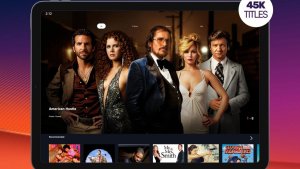
Who is looking for a app to watch Netflix Users usually want two things: to use the service on their cell phone and, if possible, to spend little money. Let's get straight to the point: the official Netflix app is free to download from the Play Store, but the catalog only opens with an active subscription. There is no legal app that unlocks Netflix movies and series for free. What exists, and works well, are free and legal services that are supported by ads and have their own catalog — the PlutoTV It's the easiest to start using in Brazil.
The official Netflix app
On Google Play, the app is simply called Netflix. The download is free and installation is normal, like any other app. The charge comes from the subscription: without an active plan on your account, you can enter the app, see the covers, but you won't be able to play the video.
Within the app, you have separate profiles for each person in the household, parental controls with a PIN, quality adjustment to save data, and the ability to download some titles to watch offline. Offline downloading doesn't apply to the entire catalog: some movies and series are not available offline due to licensing agreements.
Beware of apps that promise free Netflix.
A number of apps are circulating online promising access to the Netflix catalog without a subscription. They are not on the Play Store, are distributed as separate files, and in practice, bring three problems at once.
The first reason is legal: distributing and watching copyrighted content without authorization is piracy, and the responsibility falls on whoever installs it. The second is security-related—files downloaded outside of the app store don't undergo any verification, and that's how malware that steals bank passwords, email, and credit card data gets in. The third is practical: these apps disappear from the internet from one week to the next, without warning or support.
If a website promises to unlock the paid catalog, close the tab. Only install apps from your device's official app store.
How to watch for free, legally.
PlutoTV
Free service with ads, available on the Play Store. It has live channels organized by theme, as well as on-demand movies and series to watch whenever you want. The catalog is its own, not Netflix's.
YouTube
In addition to regular videos, YouTube offers full-length movies for free with ads, as well as official channels from studios and broadcasters. This option is already installed on most Android phones.
Apps from Brazilian broadcasters
The apps offered by free-to-air TV channels often provide a portion of their content for free, supported by advertisements: news, old soap operas, and some archive programs. It's worth checking what's available before subscribing to anything.
Free-to-air TV via mobile phone
Many broadcasters stream their programming live through their own apps or websites. It's free, it's legal, and it works well for those who just want to keep up with the day's schedule.
Pluto TV: what it is and what it isn't
Free, supported by ads.
There is no monthly fee, mandatory credit card registration, or charges after a certain period. In return, the service displays commercial breaks in the middle of the content, just like on broadcast TV.
Live channels and on-demand catalog
You can simply open a channel and let it play, or choose a specific title from the movies and series section.
It's not the Netflix catalog.
This is the point that generates the most confusion. The catalog belongs to Pluto TV itself and its partner production companies. There may be some titles that you have also seen on another service, but Netflix original productions are not there.
Portuguese in most of the collection.
Most titles are dubbed or subtitled in Portuguese, although this varies depending on the film or series.
Broadcast for TV
You can project the image from your phone onto your television using Chromecast, without needing to install anything outside of the official app store.
Runs on basic cell phones
The app is lightweight and works well on entry-level devices. Like any video service, the experience depends on the quality of your internet connection.
How to pay less for Netflix, without using any workarounds.
If you really want the Netflix catalog, a subscription is the way to go — but there are honest ways to reduce the cost. Netflix sells different plans, and the cheapest one includes ads during playback. Prices and rules change from time to time, so check the current prices within the app itself or on the official website, never on third-party pages.
It's also common for mobile phone operators and internet providers to sell bundles that already include Netflix. It's still a paid subscription, but it's charged along with your bill. And, since the plan is monthly and without a commitment, you can subscribe during a month with more new releases and cancel later, whenever you want.
Common questions
No. Any app that promises that is distributing content without authorization and is not in the official store. To watch Netflix, you need an active subscription.
The download is free on the Play Store. What you pay for is the subscription: without an active plan, you won't be able to play the titles.
Plans and promotions change over time. The only reliable source is the Netflix app itself or the official website. Be wary of any page that offers a free account or pre-built login.
Yes, downloading episodes or movies through the app itself while you're connected. This applies to titles that allow downloads and require an active subscription.
No. The catalog is proprietary, featuring films, series, and live channels from partner production companies. It's a free alternative, not a shortcut to Netflix's catalog.
No. The service is free and is funded by the ads shown during the programs. There are no subsequent charges or credit card requirements.
It's not mandatory to start watching. Creating an account is for saving your preferences across devices.
Many Smart TVs already include these apps in their own app store. If yours doesn't, the solution is to stream from your phone using Chromecast. Do not install files from outside the TV's app store.
No. Files distributed outside of the official store are not verified, and that's how programs that steal passwords and banking information get in. Install apps only through Google Play.
Yes, especially in high quality. The Netflix app has a data usage setting in its settings, and for binge-watching, using Wi-Fi is ideal.