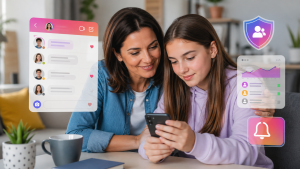
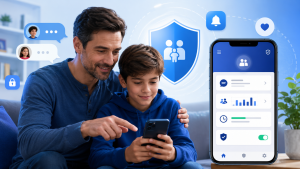
Many people come here looking for a way to view WhatsApp messages of a child. The honest answer is that this doesn't exist in the way it's advertised: no legitimate app opens WhatsApp conversations from another device. What can be done, and this text explains, is to use the Google Family Link To monitor your child's cell phone in a transparent way: limit screen time, approve apps, block apps at certain times, and see the approximate location of the device.
Is it possible to read someone else's WhatsApp messages?
No. WhatsApp conversations are end-to-end encrypted, meaning they are only readable on the devices of the people chatting. WhatsApp itself doesn't share this content with third parties, and there's no official feature that mirrors messages from one phone to another without the other person's knowledge.
The apps that promise this are usually of two types, and neither is a good deal. Some are scams: they ask for payment, installation of files from outside the app store, or the "victim's" phone number, and deliver nothing. Others are spyware programs that hide on the device, collect data uncontrollably, and put the installer in a delicate situation, because reading another person's private conversation without consent is an invasion of privacy and can have legal consequences.
With younger children, the approach that works is the opposite of secrecy: agree on the rules in front of the child, make it clear that cell phone use is supervised, and use a tool that openly demonstrates this. That's the role of Family Link.
What Google Family Link does
Secure and transparent parental control
Google Family Link was created to help families monitor their children's and teenagers' cell phone use. It is not a spy app and does not show the content of messages. Supervision is also not hidden: the child's device settings show that the account is managed by a parent or guardian. This is important because the goal of... parental control It should be about protecting, guiding, and educating, not about monitoring without dialogue.

With the app, parents can set limits, monitor usage time, and better understand how the device is being used. In the case of WhatsApp, the possible supervision is this: knowing how much time the messenger is used, setting schedules, and discussing online risks. The content of the conversations remains a matter of dialogue, not of the app.
Screen time management
One of the main functions of Family Link is to control the amount of time a child spends on their cell phone. Parents can set daily usage limits and times when the device should be blocked, such as at night, during study sessions, or during family time.
This feature helps when WhatsApp or other apps start taking up too much time in your daily routine. Instead of suddenly banning everything, parents can create a balanced routine, allowing phone use at appropriate times and avoiding excess.
Approval of installed applications
Family Link allows parents to approve or block apps before they are installed on their child's phone. This helps prevent inappropriate, unknown, or dangerous apps from being downloaded without supervision.
This control is important because many digital risks are not only in messages, but also in the applications installed on the device. Games with open chat, unmoderated social networks, unfiltered browsers, and apps of dubious origin can expose children to unwanted contacts, scams, and inappropriate content.
Blocking and limiting specific apps
Another useful function is to limit or block apps individually. If parents notice that a particular app is being used excessively, it's possible to adjust access without having to block the entire phone.
In the context of WhatsApp, this is helpful when using the messaging app interferes with studying or sleeping. Ideally, the decision should be accompanied by a clear conversation, explaining the reason for the limitation and agreeing on new rules for use.
Monitoring activity on the device
The app displays information about app usage time, allowing parents to understand which tools are being accessed most frequently. This helps identify behavioral patterns and potential overuse.
Family Link doesn't display the content of WhatsApp messages, but it does indicate if the app is being used for many hours throughout the day. This type of information is enough to start a conversation about boundaries, safety, online friendships, and digital exposure.
Device location
Family Link can also show the approximate location of the child's device, provided it is turned on, connected to the internet, and has the necessary permissions enabled. This is an estimated location, not an exact tracking.
This feature can increase safety in daily life, especially on trips to school, extracurricular activities, or visits to family members. Even so, it's important that the child knows this accompaniment exists, so that... parental control be based on trust and protection.
Privacy and security settings
With Family Link, parents can manage some of their child's account settings, including permissions, content filters, and features related to Google services. This helps reduce access to inappropriate content and makes the online experience safer.
This type of protection is important because children may click on suspicious links, talk to strangers, or accept permissions without understanding the risks. parental control It creates an extra layer of security, but it does not replace the constant guidance of those in charge.
Encouraging family dialogue
One of the biggest benefits of Family Link is that it allows parental control to be done in a more educational way. The app helps parents create clear rules, but conversation remains essential.
When it comes to WhatsApp, social media, and private messaging, the best approach is to explain the risks of talking to strangers, sharing photos, sending personal information, or clicking on suspicious links. Technology helps, but trust between parents and children remains the primary form of protection.
Common questions
No. Google Family Link does not show the content of WhatsApp messages. It is a parental control app focused on managing screen time, app approval, approximate location, and security settings. To protect children, the key is to combine transparent supervision with open dialogue.
Not legitimately. Messages are end-to-end encrypted and are only readable on the devices of those who are communicating. Services that promise this access are usually scams or spyware, and reading someone else's conversation without consent is an invasion of privacy.
Yes. Family Link is an official Google app created to help families track device usage. It should be used transparently, especially when the child or teenager already understands how a cell phone works.
In many cases, it's possible to limit or block the use of specific apps on the supervised device. This helps when WhatsApp is being used excessively or at inappropriate times. Before blocking, talk to the child and explain the reason for the rule.
It helps indirectly because it allows you to monitor cell phone usage, limit apps, manage permissions, and configure filters. It doesn't read conversations or replace guidance. Parents should teach their children not to talk to strangers, not to share personal information, and to always report anything strange that happens.
Yes, Google Family Link is free and can be installed from the Google Play Store. It works in conjunction with supervised Google accounts created by a parent or guardian for the child.
Avoid hidden methods and prioritize combined supervision. Parents can set schedules, provide guidance on online dangers, check the child's phone together when there is agreement on this, and use Family Link to control screen time and apps. In situations of real risk, seeking support from the school, professionals, or authorities works better than silent spying.
Application mentioned: Google Family Link
Play Store link: https://play.google.com/store/apps/details?id=com.google.android.apps.kids.familylink