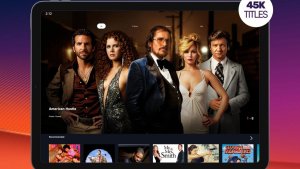
You can watch movies for free on your phone without going to pirate sites or installing strange files: there are legal services that offer part of their catalog for free, and they sustain themselves with ads during the movie. It's the same logic as broadcast TV. You don't pay, but you watch commercials.
What changes compared to a paid service is the size of the catalog. None of these apps have movie releases or the complete Netflix list. What they do have is a selection that changes from time to time, with older films, independent productions, documentaries, and series. Below are the options that work in Brazil and that you can download directly from. Play Store, No APK and no third-party website required.
What are the best apps to watch free movies?
To be included on this list, the app needed three things: to be published in the official Android store, to work for users in Brazil, and to have content available without a subscription. An app that promises the entire catalog of a paid streaming service for free was left out because that doesn't legally exist.
It's worth mentioning upfront: you'll see ads on all of them, and the free catalog changes over time. A movie that's available today might be removed from the platform next month, because the service rents the exhibition rights for a period of time.
Pluto TV
Pluto TV is the closest thing to a digital broadcast TV channel. It has channels that broadcast continuous programming, organized by theme (action movies, comedy, cartoons, news), and also an on-demand area where you choose the title and press play.
The service is free and has no paid plan: his profile is on Play Store It appears marked as "Contains ads," and that's how the company makes money. The interface is in Portuguese, and a large part of the catalog has dubbing or subtitles in Portuguese.
The downside is the same as with TV: on live channels you can't choose the time or fast-forward the movie. On the on-demand section you can pause, but there's no download option for offline viewing.
Globoplay (parte gratuita)
Globoplay is known for its paid plans, but it has a free tier. With a free registration, you can watch a selection of ad-supported content, including programs shown on free-to-air TV and some titles available for a limited time.
It's important to be clear here, because many people get confused: the majority of the catalog of original films and series is in the paid plans. The free part is a sample, not the entire service. If you open the app expecting to see any movie without paying, you'll be disappointed.
Still, it's one of the few options with recent Brazilian content available without a subscription, and the app is on... Play Store For mobile phones, tablets, and smart TVs.
YouTube
YouTube is often overlooked in these kinds of lists, but it's where you can find many complete and legal films. Distributors and studios maintain their own channels and release entire titles for free, supported by ads. There are also public domain classics, documentaries, and national productions published by the filmmakers themselves.
In the app's movie section, the titles appear mixed together: some are free with ads, others are for rent or purchase. The screen itself shows which is which before you press play, so just pay attention to the price label.
One caveat: full movies uploaded by random channels, unaffiliated with the studio, are almost always unauthorized copies and disappear from the internet within a few days. Prefer official distributor channels.
Plex
Plex started as a media organizer: it reads the videos you've saved and creates a nice shelf, with cover art and synopsis. Over time, it also gained its own catalog of free movies and series with ads, which don't require a subscription to watch.
This free catalog varies from country to country and is frequently updated, so the list a friend abroad sees may not be the same as what appears to you. A large portion of it consists of older films and independent productions.
The app is in Play Store It works on mobile phones, tablets, and smart TVs. Extra features, such as saving videos to watch offline, are part of the paid subscription.
Samsung TV Plus
If your phone or TV is a Samsung, you already have a free service installed and you might not even know it. Samsung TV Plus offers channels with continuous programming and an on-demand area, all without a subscription and with ads.
The limitation is precisely this: the app is designed for devices of that brand. On phones from other manufacturers, it's not the best option, and that's where Pluto TV serves the same purpose.

What do these apps have in common?
Before installing, it helps to know what to expect. Free services follow more or less the same pattern:
- Advertisements in the middle of the movieIt's what pays the bill. In some apps, you can't skip it.
- Changing catalogTitles are added and removed according to the contract with the film distributor.
- No cinema releaseA newly released film doesn't appear anywhere for free.
- Offline downloads are usually paid.On YouTube it depends on Premium, on Plex and Globoplay on paid plans, and on live channels it simply doesn't exist.
- Quality depends on the internet.The image cuts out on its own when the connection fluctuates, just like with any streaming service.
Knowing this, the experience becomes quite reasonable for those who want to spend the evening watching a movie without spending any money.
How to recognize a risky app
There is a second group of apps that promises what the ones above don't: movie releases, complete catalogs of paid streaming services, and pay-TV soccer channels. They are not in official app stores because they display content without the producer's permission.
To install one of these, the website asks you to download an APK file and allow the installation of unknown sources on your phone. That's where the problem lies: without store review, this file may contain intrusive advertising, hidden charges, or data theft. Plus, the service disappears without warning. If an app isn't on the Play Store, the safest thing to do is not install it.
Conclusion
It's possible to put together a great movie night at home without paying anything and without taking any risks. Pluto TV and Samsung TV Plus are good options when you just want to turn it on and watch whatever's on. YouTube and Plex work best when you have a specific title in mind. And Globoplay is a free option with Brazilian content.
The deal is simple: smaller catalog, ads in the middle, and no new releases. In return, you download everything from the official store, don't install files from dubious sources, and aren't left stranded when the pirate service of the moment is taken offline.
What to do, in order.
- Start with the free trial. If applicable, mark the day before the end of the period on your calendar. That's when most unwanted charges originate.
- Download before leaving home. If the service allows downloads, keep the episodes ready on Wi-Fi. The file will be stored in the app and will expire, but it solves the travel problem.
- Check the catalog before subscribing. Almost all services let you browse the catalog without an account. Look for three titles you really want to see—if two aren't already there, the plan isn't right for you.
- Adjust the quality on your phone. In the app settings, set the quality to lower for mobile data and high only on Wi-Fi. One hour on high settings will use over 1 GB.
Where most people slip
- Watching on mobile data in high quality and exceeding the data allowance in two days.
- Permanent download enabled: the file expires and can only be reopened with an active subscription.
- Installing apps from outside the store that promise a paid catalog for free — that's piracy and often comes with malware.
- Signing up for the basic plan expecting 4K — the highest quality is almost always on the top plan.
What the cell phone itself already does.
Before installing yet another app, it's worth remembering that most TVs and cell phones already come with some free pre-installed services, including movies and free-to-air channels supported by advertising. And streaming from your phone to your TV via Chromecast or AirPlay eliminates the need to install the app on the television.